Merge Excel Data into Separate DOCX and PDF Documents
Would you like to automate the creation of personalized Word documents? Learn how to combine an Excel list with a Word master document and generate…
If every week you repeat the same tasks in Excel and Word — sending dozens of emails with different attachments, creating one PDF for every row of a list, numbering invoices or generating QR codes for an inventory — this is where you learn to stop doing it by hand.
These guides come from years of teaching office software to teachers, administrative assistants and small business owners. Each tutorial explains the full procedure so you can build it yourself, and at the end you’ll find the ready-to-use template that applies the same logic, tested and with email support.
A note before you start: the screenshots and the templates show Spanish-language Excel and Word. Every English guide names the English menu or function and, the first time it appears, the Spanish name you’ll see in the images.
Where to start? If you send bulk email, go straight to the guide on sending emails with attachments from Excel and Outlook. If you produce certificates, letters or reports, see how to mail merge into separate documents. If you manage inventory, look at the QR code and barcode generators.
Would you like to automate the creation of personalized Word documents? Learn how to combine an Excel list with a Word master document and generate…
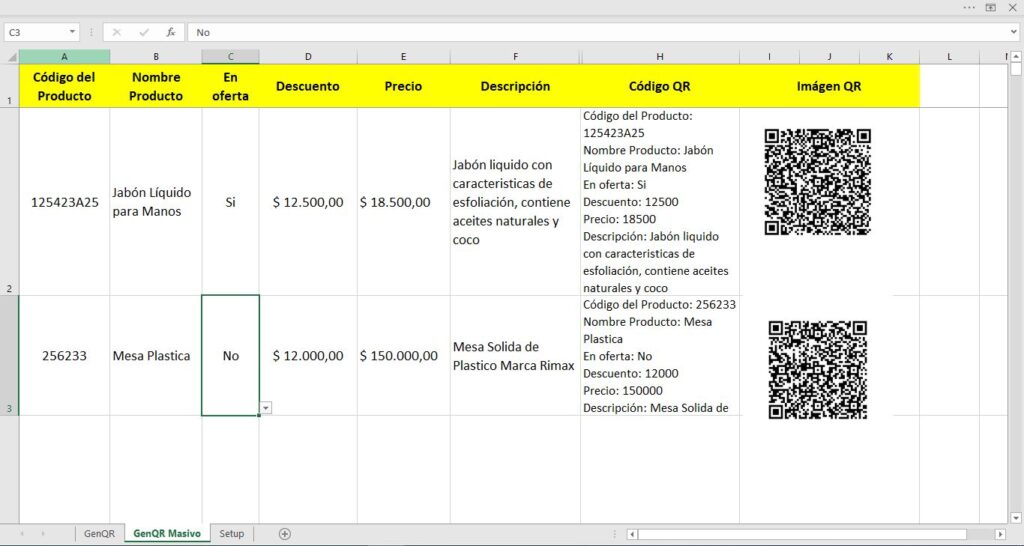
Discover a new way to generate QR codes: straight from Excel. The "Bulk QR Code Generator" turns your spreadsheet into a factory of instant…
Sending bulk emails with Word is an essential tool for businesses and professionals who need to reach a large audience efficiently. Learn step by…
Need to send bulk emails quickly and efficiently? This step-by-step guide shows you how to build an email list in Excel and use a VBA macro with…
How do you create QR codes that never expire? Some people think the question makes no sense, but expiring QR codes are real. Here I explain how to…
Converting numbers to words in Excel is a feature every Excel user wishes were built in, but unfortunately it takes a little extra work. Here is how…
Barcodes in Excel are a form of encoding that identifies products and items so they can be counted and controlled correctly. Here you will learn the…
Word's Mail Merge puts every record into one single document. Here is how to merge from Excel and save each record as its own PDF file using a…
Learn how to send emails straight from Excel 365 and 2019 without writing a single macro, using the HYPERLINK function and Outlook. The recipient…
If you have to generate 500 individual letters, creating and saving each document one by one by hand would be very tedious. Here is how to merge and…
Sending bulk emails with a different attachment for each recipient from Excel, VBA and Outlook is often a real need. This guide walks through a…
QR codes are becoming a key tool in the creative and entrepreneurial projects of many people around the world. Learn how to create them in Excel…
Improved version with export to individual PDF files with different names. Saving each record of a mail…
$30
The Bulk QR Code Generator for products is a simple solution for self-service stores that want their…
$15
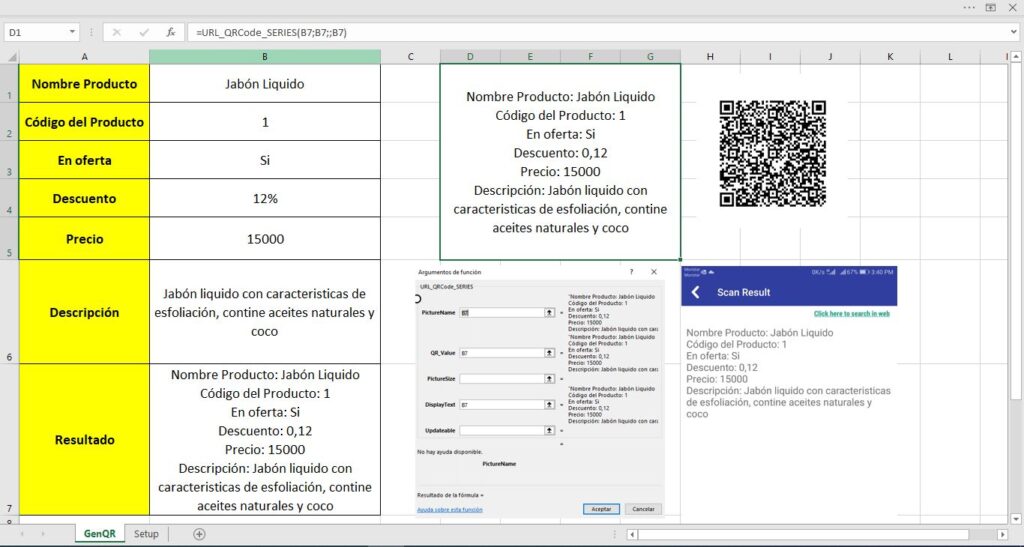
The Single-Product QR Code Generator is a simple solution for self-service stores that want their customers…
$10
The macro-based templates work in Excel for Windows (2016, 2019, 2021 and Microsoft 365) with macros enabled. Each product page lists its exact requirements.
The template interface is in Spanish; each product page says whether an English version exists. An English quick-start guide is included with every purchase.
Templates that use VBA macros and desktop Outlook do not work in Excel on the web and have limitations on Mac. Check the requirements before buying.
One email when I publish new tutorials, free tools or templates. No spam.


.jpg)