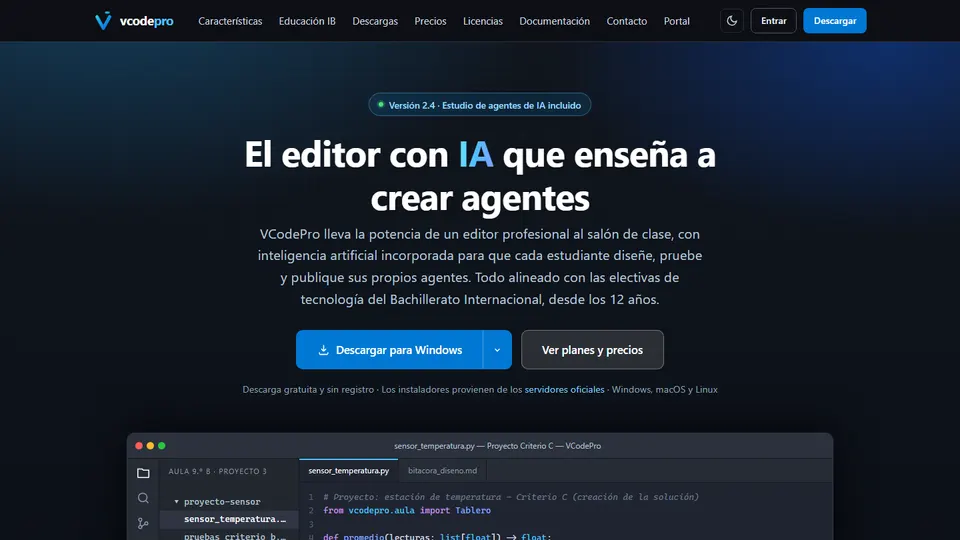
If you teach technology or computer science in secondary school, you already know your students live with artificial intelligence every day. The question isn’t whether they’ll use it, but whether they’ll learn to build it with good judgment. VCodePro is an AI code editor designed for exactly that: teaching programming from age 12 and bringing the creation of AI agents into the classroom, with criterion-based assessment built into the same tool.
Here I’ll tell you what it is, what problem it solves and, above all, how to use it in class, with concrete ideas, suggested grade levels and links to other subjects.
What is VCodePro?
VCodePro is a professional code editor for schools, developed by Grupo Logic. It brings together three things that usually live apart: an editor with industry-standard tools, an artificial intelligence assistant in teaching mode, and a studio where students design, test and publish their own AI agents.
It is aligned with the International Baccalaureate (IB) technology subjects: Computer Science SL and HL, Design and MYP Design, ITGS, the Personal Project, the Computer Science Extended Essay and CAS with a digital focus. But it isn’t only for IB schools: it comes with a classroom plan for grades 6 to 12, with 32 sessions per year, that works for any school. The editor is a free download for Windows, macOS and Linux; the school license unlocks classroom mode, rubrics, the progress dashboard and support.
What problem does it solve?
Any technology teacher will recognize two tensions. The first: students use AI as passive users and, if nobody sets rules, the AI ends up doing the work for them. The second: technology subjects, especially in the IB, demand evidence of the process, criterion-based assessment and documentation of the design cycle, a workload that almost always falls on the teacher.
VCodePro tackles both. Its assistant answers with questions, hints and analogous examples instead of solutions, and you decide how much help each class gets. On top of that, rubrics and the design journal are built into the daily work: you teach and assess in the same place.
Key features
- Assistant in teaching mode. It explains code in plain language and answers with hints, not with the answer. The teacher sets the level of help for each class.
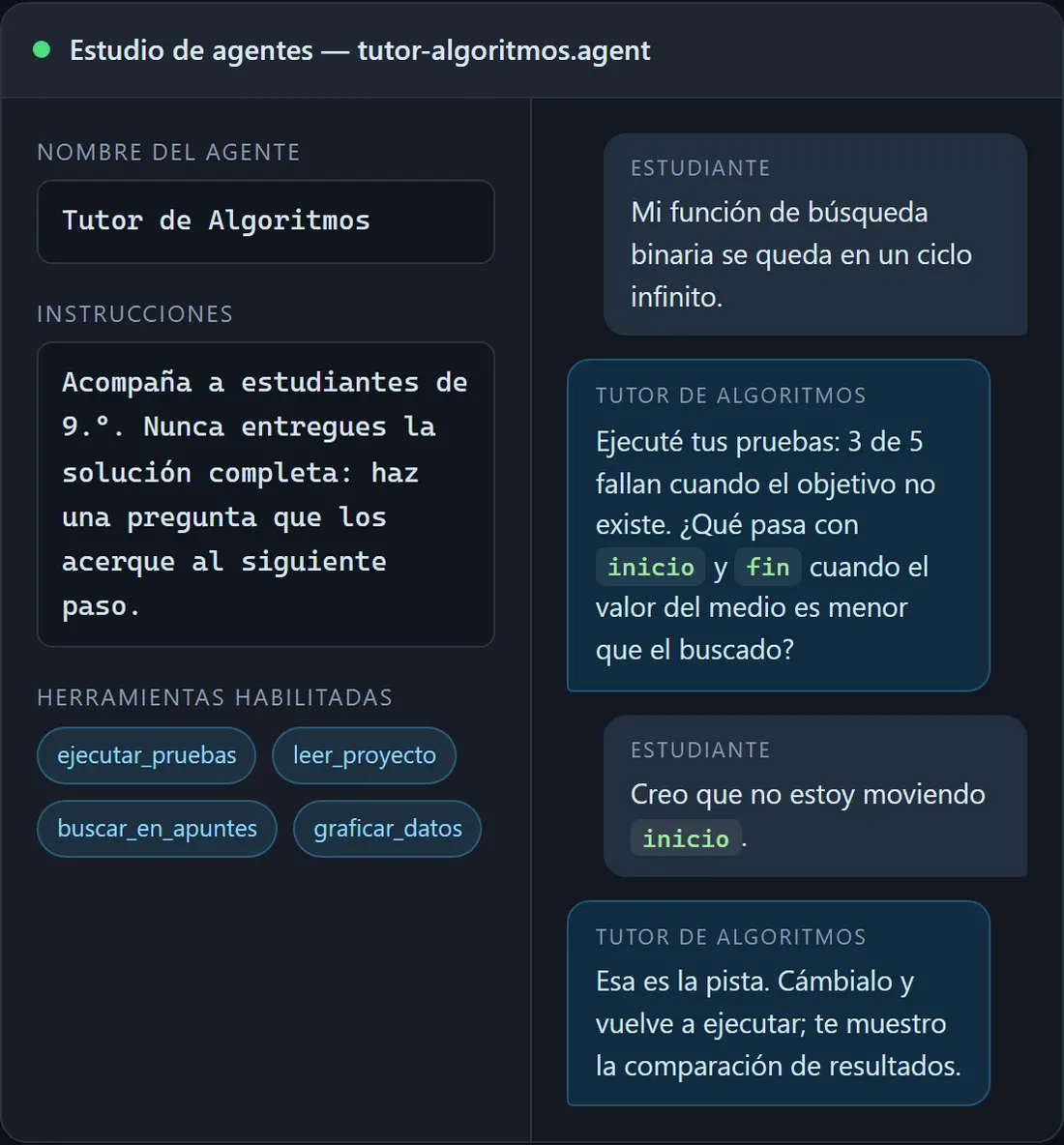
- AI agent studio. Students define an agent’s purpose, assign it tools (running tests, reading project files, querying a dataset or calling an API approved by the school), test it, measure its performance and publish it for the class once the teacher approves it. A guided form in Spanish lets them build their first agent without writing any code.
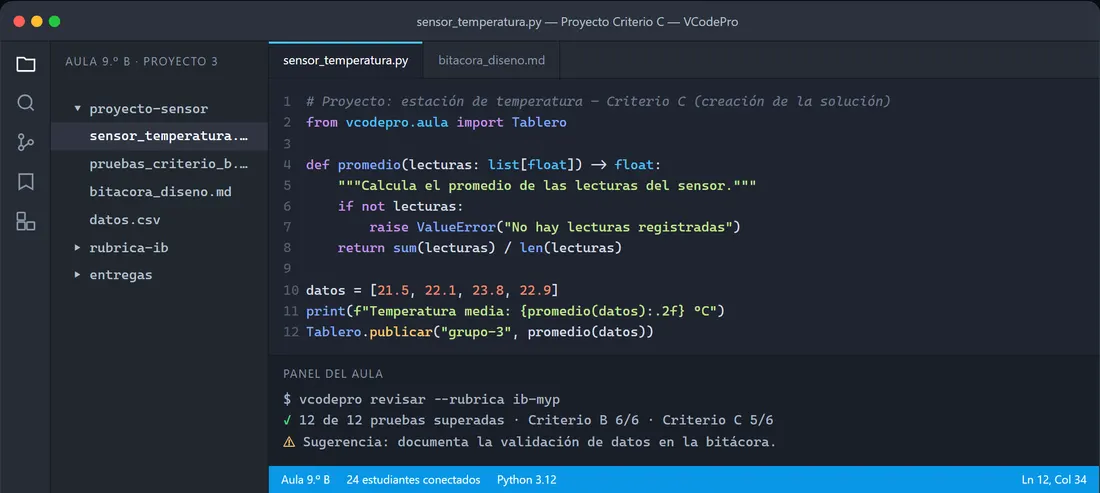
- Full-featured editor. Syntax highlighting, autocomplete, a debugger, an integrated terminal and version control for Python, JavaScript, HTML, CSS, Java and C++.
- Classroom mode. You see each student’s progress in real time, share templates and open pair programming sessions.
- Built-in IB rubrics. Criteria A, B, C and D: students see what’s missing before they hand in, and you export the grades.
- Automatic design journal. Inquiring, developing ideas, creating and evaluating, the stages of the MYP design cycle, are recorded while the student works.
- Academic integrity. Logs of conversations and versions, content filters, usage caps per class and an exam mode that turns the AI off.
The license also includes a bank of more than 120 projects and challenges sorted by criterion, difficulty and duration, a coordination dashboard and training for the teaching team. A key detail for our computer labs: it’s lightweight and runs on computers that are several years old, without a permanent internet connection.
What it offers for each IB subject
| Subject | What you’ll find |
|---|---|
| Computer Science SL and HL | Templates for data structures, algorithms, databases and the internal assessment, with complexity checks and test cases. |
| Design and MYP Design | A design cycle journal, product specifications and photo evidence linked to the code. |
| ITGS | Case studies with real data, social impact analysis and worksheets on privacy, security and digital ethics. |
Ideas for using VCodePro in the classroom
The grade levels are suggestions: adjust them to your group’s actual level.
1. An algorithm tutor built by the class itself
Grades 9 and 10 · Computer science and math. In the agent studio, students design a tutor for search, sorting or loop exercises. The rule goes in the instructions: “never give the full solution; ask a question that leads to the next step.” They test it with real mistakes, such as an infinite loop in a binary search, and once you approve it, it’s published for the class. They learn algorithms twice: by solving problems and by teaching the machine how to guide.
2. Data analysis from a science experiment
Grades 8 and 9 · Science and statistics. For a week, they record the temperature of the classroom, the schoolyard and the computer lab in a CSV file. Then they write Python functions to calculate the average, maximum and minimum, and check that there are no empty readings. Science provides the research question; math, the interpretation; the design journal, the evidence of how they validated the data.
3. Agents that solve real school problems
Grades 10 and 11 · Technology and civic education. Each team picks an everyday problem: questions about the school’s code of conduct, guidance for new students, or questions about the community service requirement. They design an agent that queries an approved dataset and they measure it: does it answer correctly? Does it make things up? Does it recognize when it doesn’t know? Since each tool is enabled only with explicit permission, the design includes deciding what the agent can and cannot do.
4. An AI ethics workshop
Grades 10 and 11 · ITGS, ethics and social studies. Before building anything, discuss: what data should a school agent read? Who reviews its answers? What happens if it gets something wrong? The ITGS worksheets on privacy, security and digital ethics are a good starting point. Then each team writes down and justifies the limits of its agent, and they wrap up with a debate supported by the conversation logs.
5. Project-based assessment with criteria A, B, C and D
Grades 7 to 10 · MYP Design and technology. Set an authentic project, such as a simple app to estimate water use at home. Share the rubric from day one: students see what’s missing before they hand in, the design journal records each stage of the design cycle, and you export the grades at the end.
6. First steps in Python, in pairs
Grades 6 and 7 · Technology and math. Take short challenges from the project bank and organize pair programming sessions: one writes, the other reviews, and they switch every ten minutes. With classroom mode you see progress in real time and get to the stuck pair first. At this level it’s best to give little AI help, so they build solid foundations.
7. A website for the class project
Grades 8 and 9 · Language arts, social studies and art. They build a site about the history of their neighborhood: HTML for structure, CSS for design and JavaScript for a final quiz. Language arts reviews the writing and social studies, the content. Version control shows them how their work evolved.
8. With AI and without AI: a lesson on academic integrity
From grade 7 · Technology and life-skills education. Work for a week with the assistant on, then give a short quiz in exam mode. Afterwards, talk it over: what did I learn, and what did the assistant do? You talk about academic honesty with evidence, not sermons.
9. Personal Project or Computer Science Extended Essay
Grades 11 and 12 · Computer Science HL. Advanced students rely on the templates with complexity checks and test cases. Every version of the code and of the agent is recorded, which makes it easier for the supervisor to follow the process and for the student to defend their decisions.
If your school starts the programming pathway earlier, take a look at Codexia and CodeNest School, which develop computational thinking from ages 4 to 12.
How to get started, step by step
- Download the editor. It’s free for Windows, macOS and Linux; in computer labs you can install it on every machine at once with the silent installation package.
- Activate the school license. The coordinator receives the key, and it’s activated only once per school.
- Create your classes. Import the student list, assign the licenses and share the first project with a class code.
- Choose the first challenge. Review the classroom plan for your level and pick a short project from the bank.
- Set up the AI help. Decide how much help each class gets and agree on the rules of use before opening the assistant.
- Teach and assess with the IB criteria from the same dashboard.
Good practices and precautions
- Protect personal data. No agent needs the names, grades or health data of real students. Use fictitious or anonymized data and only APIs approved by the school, and review the school’s data protection policy with your coordinator.
- Agree on academic honesty rules. Put in writing when students may ask the AI for help. Use the conversation logs to give feedback and exam mode when you need evidence of individual work.
- Review before publishing. Test each agent’s answers yourself before approving it for the class.
- Think first, code later. Ask for a diagram or pseudocode on paper before opening the editor.
- Cater to diversity. Combine pair work, challenges of different difficulty and plain-language explanations so nobody gets left behind.
To go further, check out the guide to AI for teachers and the analysis of the pros and cons of technology tools for teachers (in Spanish).
Frequently asked questions
From what age can VCodePro be used?
From age 12. It includes a classroom plan for grades 6 to 12, with 32 sessions per year and assessable projects.
Does VCodePro’s AI do students’ homework for them?
No. In teaching mode it answers with questions, hints and analogous examples; the teacher controls how much help each class gets and can turn on exam mode, which disables the AI.
Is it only for International Baccalaureate schools?
No. Its classroom plan works for any school; it is also aligned with the IB technology subjects and the MYP design cycle.
Which programming languages does it include?
Python, JavaScript, HTML, CSS, Java and C++, with a debugger, an integrated terminal and version control.
Do we need new computers or a permanent internet connection?
No. It starts in seconds, it’s lightweight and it runs on computers that are several years old, without a permanent connection.
Can I try it before the school buys the license?
Yes. The editor is a free download; the license unlocks the classroom and assessment features.
Conclusion
VCodePro proposes that students stop being consumers of artificial intelligence and learn to build it with good judgment, while the teacher keeps control over the help they get and over assessment. Start with a small, well-defined project.
Learn more about VCodePro on Grupo Logic’s official page and explore other options in the tools directory.
Prefer to have it ready?
More guides in AI and technology for teachers