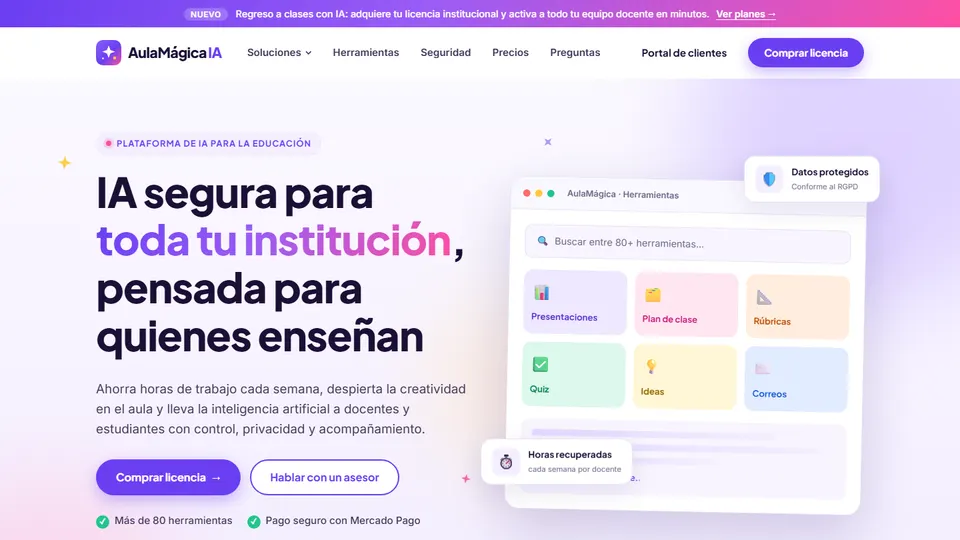
Many teachers already use artificial intelligence to prepare their classes, but almost always with personal accounts, each in their own way, and without the school knowing what information is being shared. AulaMágica IA is Grupo Logic’s platform that brings together more than 80 AI tools for teachers and more than 50 for students under the school’s control: lesson plans, quizzes, rubrics, inclusion supports, a tutor that guides without giving away the answers, and communication with families. In this article I’ll tell you what it offers and share concrete ideas for using it in your classroom without giving up your professional judgment.
What is AulaMágica IA?
AulaMágica IA (roughly “Magic Classroom AI”) is a web-based artificial intelligence platform designed for the day-to-day work of teachers and students. It runs on an institutional license: the school manages the users, decides which tools are available to each profile and sets its own responsible-use policies.
It offers three experiences in a single system: one for school leaders, who see usage and adoption by campus; one for teachers, with tools to plan, assess and communicate; and one for students, who work on activities created and supervised by their teacher.
It’s worth clearing up the difference with another product from the same company: AulaMágica IA is a set of AI tools for everyday work; if what you’re looking for is a system that connects textbooks, lessons, assessment, remedial work and report cards, take a look at my article on EduNova.
What problem does it solve at school?
There are two problems that coexist in almost every school:
- AI use without shared rules. The school doesn’t know what data is being shared, which tools students are using or how minors are being protected.
- Work overload. Teachers spend hours every week planning, preparing assessments, writing report card comments and adapting materials for students with diverse needs.
AulaMágica IA tackles both: it brings the use of AI under the school’s control and gathers the most time-consuming tasks in one place. If you want the big picture of how to integrate AI into your teaching, start with the AI and technology for teachers hub.
Main features
Lesson planning
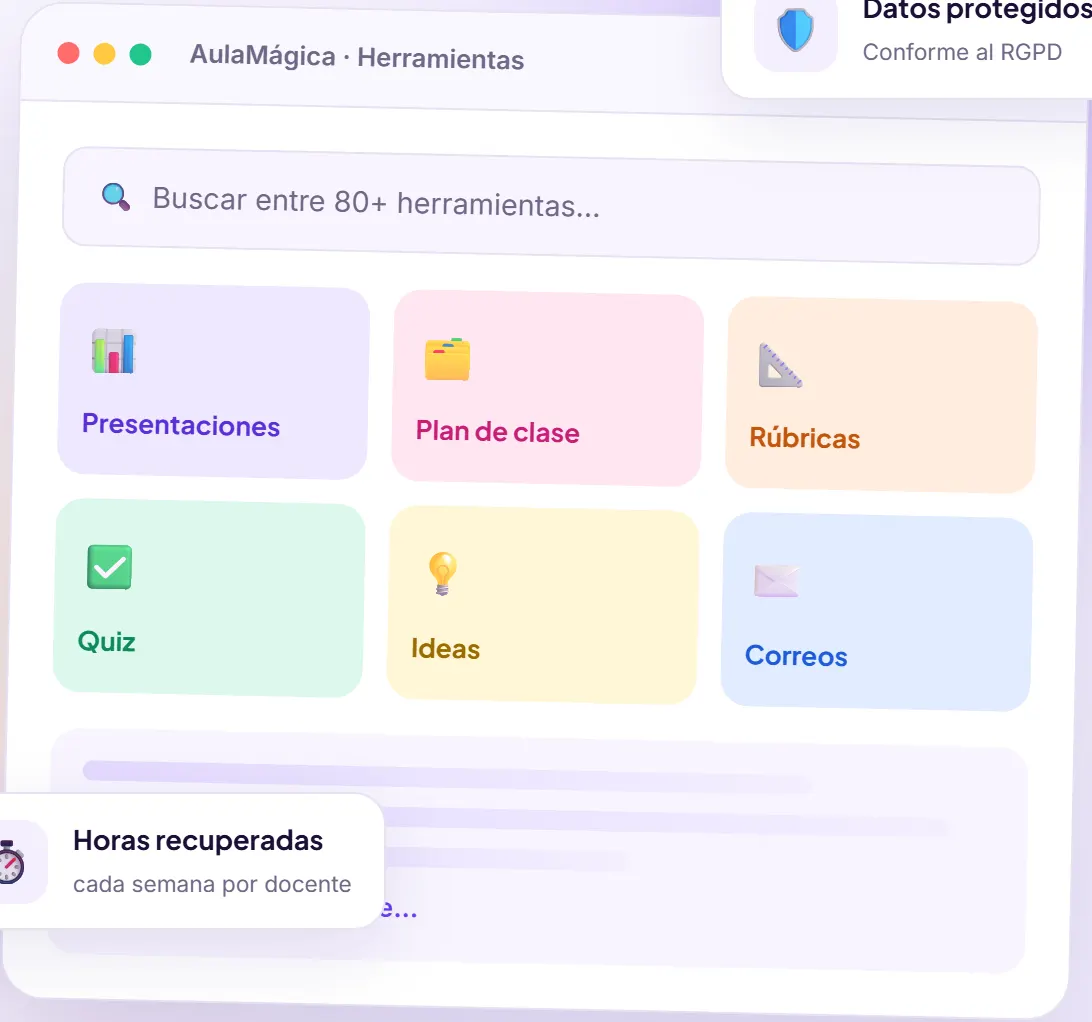
Lesson plans aligned with standards and the DBA (Colombia’s “Basic Learning Rights,” the national learning expectations by grade), presentations created from a topic or a text, step-by-step worksheets and an activity idea generator.
Assessment
Multiple-choice quizzes with answer keys, rubrics with performance levels and specific feedback on students’ writing.
Inclusion
A text rewriter that adjusts reading level, and support for building reasonable-adjustment plans (PIAR, Colombia’s individual plans for students with disabilities) that the team reviews and approves.
Tutor for students
An AI tutor that guides students without giving them the answer, within activities the teacher creates and supervises, with a history the teacher can see.
Communication
Clear, respectful report card comments, and professional emails to families and colleagues in the right tone.
School administration
Centralized users and licenses, usage and adoption dashboards by campus, configurable policies, sign-in with school accounts and integration with Google Workspace, Microsoft 365, Canvas, Moodle, Classroom and Teams. Whatever you create can be exported to documents and presentations.
Ideas for using AulaMágica IA in the classroom
These ideas start from a simple rule: the AI writes the first draft; you decide what goes into the classroom.
1. 7th-grade math: a proportionality lesson plan aligned with the DBA
Ask for a lesson plan on ratios and proportions for 7th grade, with a real-life context (recipes, scale maps, unit prices). Check that the stages of the lesson fit your actual timing and swap the examples for ones from your own neighborhood or region. You go from writing from scratch to reviewing with a critical eye, which is where your experience adds the most value.
2. Language arts or science in 5th grade: one reading at three levels
Use the text rewriter to adapt a reading about ecosystems to three levels of complexity. The whole class works on the same topic and the same key questions, but each student reads a text within their reach. Make sure the simplest version doesn’t lose any key concepts.
3. 8th-grade social studies: an end-of-unit quiz with an answer key
At the end of the unit, generate a multiple-choice quiz from your own materials. Before giving it, review the distractors: a good wrong option reveals a typical mistake; a bad one only confuses. Remove questions that test pure memorization and keep the ones that require reasoning.
4. 10th-grade science: a rubric for the science fair project
Create a rubric with criteria and performance levels for the science fair project. Share it with students from day one, not on the due date: that way the rubric becomes a guide for their work and not just a grading tool.
5. 11th-grade language arts: feedback on argumentative essays
Use the writing feedback tool to get specific comments on the thesis, the arguments and the coherence of each essay. Read it, adjust it and sign off on the final feedback yourself. A good practice is to ask each student to respond to two of the comments with a new version of the paragraph.
6. 9th-grade math: the AI tutor for practicing equations
Create a practice activity on linear equations in which the tutor guides students with questions without handing over the solution. While the class works, check the history: you’ll see which step trips them up the most, valuable information for your next lesson.
7. Learning support teachers: draft PIARs to review as a team
Generate a proposal of reasonable adjustments for a student based on the educational information you already have, without including unnecessary personal data. The draft goes to the meeting with the homeroom teacher and the subject teachers, who review, adjust and approve it. The AI doesn’t diagnose or decide; it organizes a starting point.
8. Homeroom teachers: report card comments in the school’s tone
Starting from your notes on each student, write clear, personalized and respectful comments. Check that each one describes observable performance and includes a concrete recommendation. If the coordinator sets a common style, the whole school communicates in the same tone.
9. Communicating with families: difficult emails in the right tone
An email about poor performance or calling a meeting can come across as harsh if it’s written in a hurry. Use the professional email generator to get a clear, empathetic message, and personalize it before sending.
10. 6th-grade biology: presentations from your own text
Paste in the worksheet you already wrote about the cell and generate a presentation. Review each slide, replace the images with ones from your own context and leave open questions for the class. Exporting it as a presentation lets you keep editing it in the tool you already use.
11. Cross-curricular projects: brainstorming and step-by-step worksheets
For the school environmental project or the sexuality education project, use the idea generator to get activity proposals by grade, then turn them into step-by-step worksheets with a reading, questions and sequenced activities.
12. Academic coordination: a use policy and a professional development day
Before opening the platform to everyone, decide which tools will be available to teachers and students and write a responsible-use policy. Then organize a session in which each department creates and shares a resource. Afterwards, the usage and adoption dashboard by campus will tell you which departments need more support.
How to get started, step by step
- Choose your license. School, for a single institution, or Volume, for multiple campuses or school networks.
- Activate the platform. In the customer portal you’ll find the license code, the number of seats and the expiration date.
- Set up your school. Define the use policies and the tools available to teachers and students.
- Invite your team. Add teachers and school leaders one by one or in bulk.
- Start with what takes up the most time. Choose a single task (for example, quizzes or report card comments) and use it for a term before adding more tools.
Good practices and precautions
- Your judgment comes first. Review everything the AI generates: facts, examples, difficulty level and bias. Whatever reaches the classroom is your responsibility.
- Share as little data as possible. Although the platform encrypts information and doesn’t use teachers’ or students’ data to train models, don’t include full names, ID documents or diagnoses when they aren’t needed.
- Supervise students. They work on activities you create, with age-appropriate content filters and alerts for sensitive topics; check the history regularly.
- Teach students to use AI honestly. Explain what the tutor is for and why it doesn’t give them the answer.
- Clear school-wide agreements. Teachers, students and families should all know the use policies.
If you want to compare this option with other tools, take a look at my analysis of technology tools for teachers: pros and cons (in Spanish).
Frequently asked questions
Is teachers’ and students’ data used to train AI models?
No. AulaMágica IA doesn’t use teachers’ or students’ data to train artificial intelligence models, and it doesn’t sell information to third parties.
Is it safe for students to use the platform?
Students work on activities created and supervised by the teacher, with age-appropriate content filters, alerts for sensitive topics and a history the teacher can see at all times.
Does it integrate with Google Workspace or Microsoft 365?
Yes. It supports sign-in and integration with Google Workspace, Microsoft 365, Canvas, Moodle, Classroom and Teams.
Can we change users while the license is active?
Yes. From the portal you can add, remove or replace users at any time, within the number of seats on the license.
How is it different from EduNova?
AulaMágica IA is a set of AI tools for the day-to-day work of teachers and students; EduNova is an integrated system that connects textbooks, lessons, assessment, remedial work and communication with families.
Conclusion
Artificial intelligence is already in our classrooms; the question is whether it comes in with clear rules or without them. AulaMágica IA offers useful tools for teachers’ work and, at the same time, gives the school back control over users, data and policies. Use it to save time on repetitive tasks and spend that time on what no machine can do for you: supporting your students. Find out more on the official AulaMágica IA page and, if you teach technology in middle or high school, also check out VCodePro.
Prefer to have it ready?
More guides in AI and technology for teachers