In many schools, artificial intelligence has already come in through the back door: students use it for homework, some teachers use it to plan and almost nobody knows, clearly, what is allowed. When there are no rules, each teacher improvises their own, the same piece of work is "fraud" in one classroom and "good use" in another, and students' data end up in tools nobody evaluated.
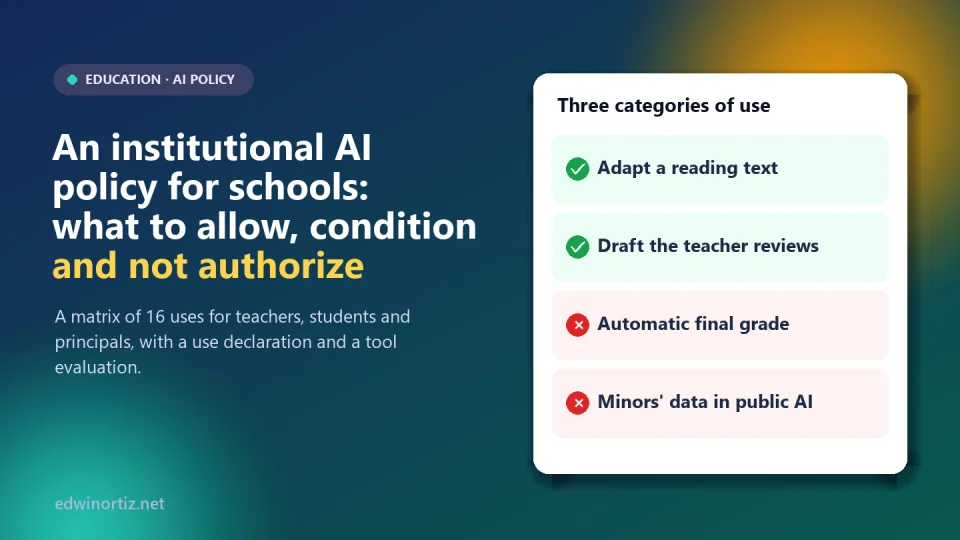
This article proposes how to build a short, applicable institutional AI policy, organized into three categories: allowed, conditional and not authorized uses. It includes a downloadable Excel matrix (in Spanish) with 16 uses for teachers, students and principals, a tool evaluation and a use-declaration template. Data verified on October 9, 2026.
Summary. An AI policy is not written to ban or to applaud technology, but to make clear who decides what: AI may assist; decisions about people (final grades, sanctions, promotion) and the care of minors' data stay in the hands of humans who answer for them. The policy is built with the educational community, tested and reviewed every year.
Why it is needed
Three data points help size the issue, with their limits:
- A Gallup and Walton Family Foundation survey in the US (June 2025, over 2,000 teachers) found that in schools with an AI policy the reported benefit was 26% greater. It is US, self-reported data, but it suggests that clear rules make technology pay off more.
- According to the OECD (TALIS 2024), about 53% of Colombian teachers used AI in the past year, more than the OECD average (36%). Use is growing faster than rules.
- A GAD3 study for Planeta Formación y Universidades, reported by El Tiempo in August 2026, indicates that 84% of higher-education students in Colombia use generative AI habitually and that only 35% have the skills to use it beyond a basic level. It covers higher education (not schools) and the outlet does not report the sample, so it is cited only as a signal.
On rules: in September 2023, UNESCO published its first global guidance on generative AI in education and proposed 13 as the minimum age for using these tools in the classroom, acknowledging that many consider that threshold too low; it also called for institutions to validate systems before making them available to students and for data protection standards to be adopted. It is a recommendation, not a Colombian rule. In Colombia, as far as I could verify on October 9, 2026, I found no specific national guidelines for AI use in schools (the Ministry of Education has published guidance for higher education, and the National AI Policy, CONPES 4144 of 2025, exists); it is advisable to confirm on the Ministry's website. Meanwhile, the institutional policy is where each school decides.
The three categories
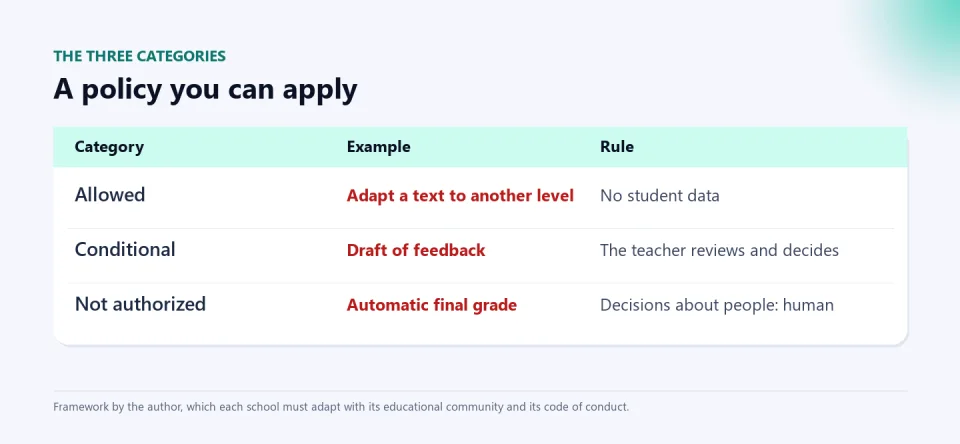
- Allowed: low-risk uses, with no personal data and not affecting assessment. Example: adapting a text to another reading level.
- Conditional: valuable uses accepted only if a concrete condition is met. Example: a draft of feedback that the teacher reviews and signs as their own.
- Not authorized: uses that affect decisions about people, compromise minors' data or are dishonest. Example: assigning the final grade with an automatic system.
The key is that every "conditional" has a verifiable condition and an owner; otherwise it is an "allowed" in disguise.
The matrix: 16 uses to start
The downloadable workbook has an initial proposal; with it, 2 uses are allowed, 6 conditional and 8 not authorized. Here are some:
| Who | Use | Category | Condition or reason |
|---|---|---|---|
| Teacher | Generate drafts of lesson plans or rubrics | Conditional | The teacher reviews, corrects and adapts |
| Teacher | Grade or set the final grade automatically | Not authorized | Assessment is the teacher's decision |
| Teacher | Paste student data into a public AI | Not authorized | Minors' data: only in authorized tools |
| Teacher | AI detector as sole evidence to accuse | Not authorized | Not conclusive; dialogue and evidence of process are required |
| Student | Ask for explanations or examples | Conditional | School account or supervision and a use declaration |
| Student | Hand in AI text as their own | Not authorized | Academic dishonesty under the code of conduct |
| Student | Use AI while under 13 | Not authorized | Only with a school account, supervision and family authorization |
| Principal | Decide admissions, sanctions or promotion with AI | Not authorized | Decisions about people: a human makes them |
Two points deserve explanation. First, AI detectors: there is no reliable way to prove that a text was written by a machine, and accusing a student based on a detector can be unfair; it is better to assess the process (drafts, oral defense, classwork) and apply the due process of the code of conduct (see whether AI expands or replaces thinking). Second, minors' data: Colombia's Law 1581 of 2012 restricts the processing of children's and adolescents' data and requires ensuring their best interests; that is why the rule is not to enter identifiable data into unauthorized tools (see student data and AI personalization).
How to build it in four weeks
- Week 1: diagnosis. Ask teachers and students (anonymously) which tools they use and for what. You will probably be surprised.
- Week 2: draft with the community. Start from the matrix and discuss it with teachers, students, families and principals. What is decided with the community is respected more.
- Week 3: pilot. Test the policy in one or two groups and the use declaration on a real task; adjust what does not work.
- Week 4: approval and communication. Approve it in the governing board, add what is needed to the code of conduct and communicate it with concrete examples.
- Afterwards: review. At least once a year, or when the regulation or an important tool changes.
Evaluate a tool before authorizing it
The "Evaluacion_herramienta" sheet has nine questions: is there a concrete need?, is it known what data it collects and why?, does it allow school accounts?, where is data stored and can it be deleted?, does the vendor use it to train its models?, can it be used with supervision and without the minor creating a personal account?, is there independent evidence?, is there an owner and an exit plan?, were families informed? If the data questions are answered "no", it is not authorized (see schools' technology debt and buy, subscribe or build).
The use declaration: honesty instead of a witch hunt
Instead of chasing AI use, ask students to declare it: which tool they used, for what, what they asked, which part is theirs and how they verified the information. The workbook includes the template. Declaring changes the conversation: from "did you copy it?" to "what did you learn and how did you check it?". It is consistent with the idea that the real task is the student's thinking (see pedagogical autonomy and platforms and what grades measure).
Colombia, Latin America and the world
Worldwide, AI policies in education range from total bans to guided integration; what the best practices share is a combination of literacy, clear rules and data protection, as UNESCO proposes. In Colombia and Latin America the challenge is twofold: unequal access (not all students have the same tools at home) and the lack of specific guidelines, which leaves the decision to each institution. For principals, leading the process and being accountable; for teachers, having clarity and support to use AI with judgment; for students, learning to use it honestly; for families, knowing what data on their children is used and being able to have a say.
Tools that already follow these rules
The tools I build are designed so the teacher decides: the AI Exam Generator delivers the exam and its solutions for the teacher to review before using them; PIAR con IA drafts documents that the expert team validates and does not replace their judgment; and the AI Kit for Teachers provides recipes by subject that are adapted, not copied. They are examples of well-resolved "conditional" uses.
Keep reading: AI agents with access to your systems and basic security mistakes.
Frequently asked questions
Is a school required to have an AI policy?
As far as I could verify, there is no specific national obligation for schools; but having one is good practice, and the code of conduct and institutional autonomy allow it to be incorporated.
Should schools ban ChatGPT and similar tools?
A total ban is hard to enforce and does not teach students to use them with judgment. It is more realistic to define which uses are allowed, which are conditional and which are not, and to teach verification.
Can children under 13 use AI?
UNESCO recommends 13 as the minimum in the classroom and many providers set their own age. As a precaution, the matrix requires a school account, supervision and family authorization.
Are AI detectors usable to sanction?
Not as sole evidence: they are not conclusive. Assess the student's process and apply the code of conduct's due process.
How often is the policy reviewed?
At least once a year, and sooner if the regulation changes or an important tool is adopted.
Start with the matrix. Download the AI policy matrix (in Spanish), adapt it with your educational community and try the use declaration on a task. It includes the tool evaluation.
Food for thought
An AI policy is written to protect students and the craft of teaching, but it can also become a form of control. Who should have a voice in a school's AI rules: only principals and teachers, or also the students who will live with these tools all their lives? And if a rule bans what students at better-resourced schools can use freely at home, are we protecting or widening the gap?
Was this article helpful?
React and share it with someone who might find it useful.
- Like 0
- Insightful 0
- Celebrate 0
- Love 0
- Thought-provoking 0
Prefer to have it ready?
More guides in AI and technology for teachers