If you’re thinking about using Mercado Pago to take payments in your online store, this article is for you. It’s not a cheap shot or a sponsored review: it’s what happened to me when I tried to charge large amounts for software and services, what support told me, why I think it happens, and in which cases Mercado Pago can still be a good choice. At the end you’ll find a checklist so you don’t get the same surprises.
I’m writing it with the same intention I had a while ago when I shared everything you should know about Wompi Bancolombia (in Spanish), the payment gateway of Colombia’s Bancolombia bank: so that anyone who is starting to sell online knows what to expect before putting their business—and their customers’ trust—in the hands of a payment gateway. And if you sell software to other countries, also read about my experience with Paddle, which ended up closing my account.
Why Mercado Pago looks like the obvious choice
I completely understand why so many people start with Mercado Pago. I did too. On paper, it has very strong arguments:
- Presence across Latin America. It operates in several countries in the region (Argentina, Brazil, Chile, Colombia, Mexico, Peru and Uruguay, among others), so the same brand works if you sell in more than one market.
- A brand the buyer already knows. Mercado Libre, Latin America’s big online marketplace, is behind it, and that makes many customers feel safe.
- Lots of local payment methods. Credit and debit cards and, depending on the country, bank transfers such as PSE in Colombia (the country’s online bank-transfer system) or cash payments at physical locations.
- Integration almost anywhere. It works with the most widely used e-commerce platforms and with many SaaS tools for invoicing, scheduling or memberships, plus payment links and QR codes that don’t require you to have a store.
- Opening an account is fast. In a few minutes you can have a working payment link.
With all that, the conclusion seems simple: “I open the account, connect my site and start charging.” For many businesses, that’s exactly how it goes. For mine, it wasn’t.
What happened to me: three charges, three rejections
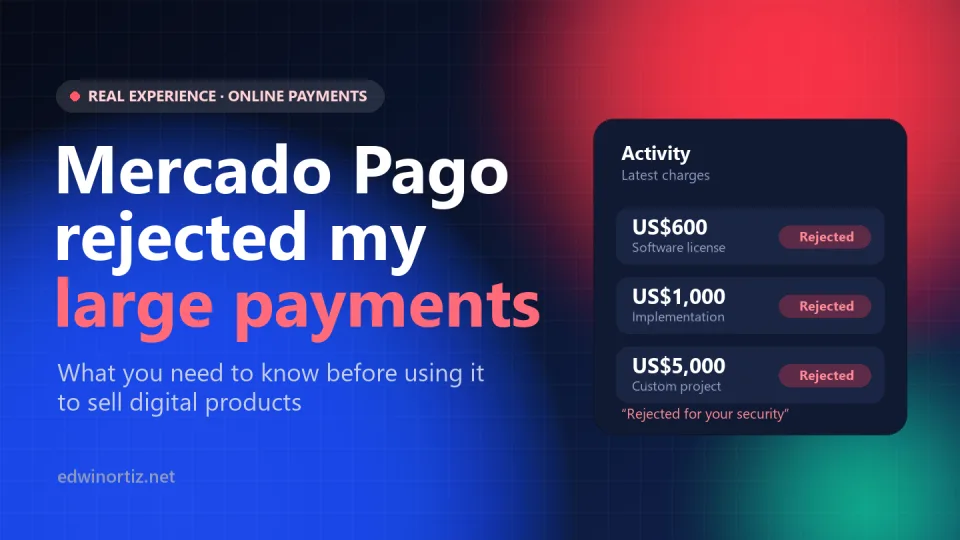
My business isn’t a T-shirt shop. Besides low-cost templates and tools, I sell software licenses, implementations and custom projects to schools and companies. That means some charges are 600 dollars, others 1,000, and some reach 5,000 dollars.
I created the account, set up payments and started receiving them. The small ones went through without a problem. But when the large charges came in, every single transaction was rejected. Not one: all of them. Different customers, different cards, different amounts, same result.
First call: “you have to wait for the algorithm”
I called customer service. The explanation was that the account had to wait for their heuristic algorithm to determine that payments could be made for those amounts. I asked whether there was a limit or a policy for large amounts, and they told me they have no policy at all on large amounts. In other words: there’s no cap I can know about, no requirement I can meet, and no date when that will change. Just wait.
Second attempt: the message my customer saw
Another customer came along, tried to pay me and, once again: rejected. This is where what I consider the most serious part of the whole experience came up, because there are two different messages for the same payment:
- To me, in the dashboard, the payment showed as rejected “for your security,” as if they were protecting me from something.
- My customer was told the payment was being rejected because of a suspected fraudulent site.
Think about what that means. A customer who has already decided to buy from you, who trusted you enough to take out their card, gets a warning from a company with Mercado Pago’s reputation that your business might be a fraud. No apology repairs that damage: many customers never try again, and some talk about it.
And on the other side, I wasn’t told the whole truth. “For your security” is not the same as “your business was flagged as possible fraud.” If the system suspects me, I want to know, so I can clear it up. Having different information on each side of the transaction is, quite simply, a lack of transparency.
Third attempt and support’s “solution”
I tried again with another payment and it was rejected again. On the next call, the answer was even harder to accept: for payments of that size to go through, the end customer must create a Mercado Pago account and link their credit or debit card to it. The goal, as they explained it, is for them to be able to verify that the card really belongs to the person paying.
I understand the intention of preventing fraud. What I can’t understand is that, with all the progress e-commerce has made, the way out is to force my customer to sign up on a platform they didn’t choose and where they may not want to have an account. Today there are mechanisms like 3-D Secure authentication, where the customer’s bank confirms the purchase with a notification or a code, without asking them to open accounts anywhere.
Afterwards: verifying my “honesty”
In the end, I didn’t get any positive answer. What did arrive was an email in which, in practice, they asked me to prove my honesty. The questions weren’t only about me or my business, but about third parties:
- what kind of relationship I have with a certain customer;
- when, where and to whom I delivered the software I’m supposedly selling or have already sold.
Besides how uncomfortable it is, there are deeper questions: how do they get that information about my customers? Why does the merchant have to expose third-party data in order to be allowed to get paid? And above all, how do you “deliver” software that is downloaded or installed remotely? With digital products there’s no shipping tracking number and no signed delivery receipt. For a business like mine, that kind of verification is a dead end.
Why this happens (and why it’s not just bad luck)
To be fair, it’s worth understanding the logic behind what I went through. I don’t agree with it, but it helps you make better decisions.
Mercado Pago is an aggregator, not your bank
When you charge with Mercado Pago, you don’t have your own merchant account with the card networks: you charge through Mercado Pago’s account. They take on the risk of chargebacks (when a customer disputes a purchase and the bank gives them their money back). That’s why their anti-fraud system is designed to protect Mercado Pago first. If a transaction looks risky, the cheapest way for them to protect themselves is to reject it, even if that costs the seller a sale.
New account + large amount + digital product = maximum alert
The risk models of this kind of platform usually look at signals like these:
- Account history. A newly created account has no previous sales to show that it’s trustworthy.
- Amount versus average. If your first charges are a few dollars and suddenly one for 5,000 shows up, the jump looks anomalous.
- Product type. Digital goods are delivered instantly and have no shipment to track, which is why they’re a favorite for testing stolen cards.
- Buyer data. The less information the gateway receives about who is paying and what they’re buying, the harder it is for it to approve the payment.
My case had every one of those signals at once. The problem is that nobody warns you about this when you open the account, and by the time you find out, some customers have already seen the fraudulent-site message.
The system is built for two kinds of businesses
After this experience, my conclusion is that Mercado Pago works very well at two extremes:
- Large companies, with volume, history and a direct business relationship that lets them negotiate terms.
- Small businesses that charge small amounts: shops, small ventures, inexpensive courses, low-value products.
In the middle are those of us—independent professionals and small companies—who make a few high-value transactions: consulting, software, implementations, corporate training. For that profile, the system behaves as if every large sale were suspicious.
What Mercado Pago does well
It’s not all negative, and it would be dishonest to say otherwise. If your business fits these cases, Mercado Pago can be an excellent option:
- Small, frequent charges. Templates, low-cost courses, inexpensive subscriptions, physical products of moderate value. On my own site, the small charges went through without a problem.
- Several countries with a single integration. If you sell in different Latin American markets, sticking to one gateway makes operations much simpler.
- It connects to many platforms. It has ready-made integrations for online stores and SaaS tools, and if you don’t have a website you can charge with payment links or QR codes.
- Local payment methods. Your customers can pay with what they already use, without needing an international card.
- Trust from the average buyer. For the end customer, seeing the Mercado Pago logo is usually reassuring… as long as the payment isn’t rejected.
Pros and cons, side by side
| Aspect | Pros | Cons |
|---|---|---|
| Small amounts | Smooth, fast approval. | — |
| Large amounts (hundreds or thousands of dollars) | — | Rejections with no known limit, especially on new accounts. |
| Coverage | Several Latin American countries. | Terms vary by country. |
| Integrations | E-commerce platforms, SaaS, payment links and QR codes. | Integration doesn’t prevent anti-fraud rejections. |
| Rejection messages | — | The seller sees “for your security”; the buyer sees suspected fraud. |
| Support | Easy to contact. | Generic answers, with no concrete solution for large amounts. |
| Verification | Aims to prevent fraud. | May ask you for information about your customers and about how you deliver digital products. |
If you already have an account: how to reduce rejections
If Mercado Pago is already your gateway, or you need it for its reach, these measures help give the anti-fraud system more information and fewer reasons to reject. They don’t work miracles with very large amounts, but they improve the approval rate:
- Start with small amounts and build a history. A few weeks of small sales, with no chargebacks, give the account “normal” behavior before you charge large amounts.
- Send all the buyer and order data. The buyer’s full name, email, ID number and phone number, and a clear description of each product. If a developer integrated the gateway for you, ask them to review the payment approval guide in Mercado Pago’s developer documentation.
- Use a recognizable business name on the card statement. If customers see a name they don’t recognize on their card statement, disputed purchases go up, and with them the risk to your account.
- Keep your business compliant and documented. Electronic invoicing, terms and conditions, a refund policy and contact details visible on your site. If they ask for verification, you’ll have something to answer with.
- Keep evidence of every digital delivery. Emails with download links, download logs, installation or training sign-off records. For digital products, that’s your “shipping tracking number.”
- Give the customer a heads-up before a large charge. Explain that their bank or the gateway might ask them for additional verification, so they don’t panic if something fails.
Alternatives for charging large amounts
What worked for me was splitting charges by size. For small sales in the store, an online gateway is practical. For large charges, which usually come from companies or institutions, a more direct channel is better:
- Bank transfer or PSE to a business bank account, with an electronic invoice. That’s what many companies prefer for large payments, because it gives them complete accounting records.
- Payment in installments or milestones. Splitting a 5,000-dollar project into a deposit and progress payments reduces the amount of each transaction and the risk for both parties.
- Gateways with your own merchant account, or through your bank, if your volume justifies it. Before choosing any provider, ask in writing what the maximum amount per transaction and per day is, how long it takes to activate the account, and what the buyer sees when a payment is rejected. No gateway is perfect: I’ve also written about my problems with Wompi’s limits (in Spanish) and with Paddle’s policies for software.
Checklist before opening your account
- What’s the typical value of your sales? If it’s more than a few hundred dollars, first test with a real charge for that amount.
- Do you sell digital products or services? Get your proof of delivery ready from the start.
- Are your customers companies? Many pay with corporate cards or prefer a bank transfer with an invoice; offer them that option.
- What will your customer see if the payment is rejected? Ask support for the exact wording before launching.
- Do you have a plan B? Always have a second payment method visible, so you don’t lose the sale if the first one fails.
Frequently asked questions
Does Mercado Pago have a per-transaction limit?
According to what support told me, there’s no public policy on maximum amounts: approval depends on their anti-fraud system, which evaluates each payment. In practice, on a new account, charges of several hundred or several thousand dollars were systematically rejected.
Why does Mercado Pago reject a payment “for your security”?
It’s the message that appears when their fraud prevention system considers the transaction risky. Factors include the account’s history, the amount compared with your usual sales, the type of product and the information available about the buyer.
Does my customer have to create a Mercado Pago account to pay me?
Not for regular payments. In my case, for large amounts, support said the customer had to create an account and link their card so they could verify that they were the cardholder. It’s a requirement many customers won’t accept.
Is Mercado Pago good for selling digital products?
Yes, especially if they’re low-value. For expensive digital products, the risk of rejection is higher, because there’s no physical shipment to track. It’s a good idea to have an alternative such as a bank transfer with an invoice.
What should I do if a customer saw the fraudulent-site message?
Contact them right away, explain that the rejection was triggered by the gateway’s anti-fraud system and not by a problem with your business, and offer them another payment method with an invoice. The sooner you clear it up, the easier it is to keep both the sale and their trust.
Conclusion
Mercado Pago is a powerful tool for charging small amounts across Latin America, with lots of integrations and local payment methods. But if your business lives on a few high-value sales, especially of software or digital services, you should know from the outset that you may run into unexplained rejections, messages that make your business look suspicious, and a support team with no real solution.
My recommendation is simple: don’t put all your payments through a single gateway. Use it for what it does well, have a direct channel for large payments, and test with a real charge before announcing your store. And if you’ve been through something similar, share it: the more merchants share these experiences, the more pressure there will be on gateways to be transparent with those of us who bring them business.