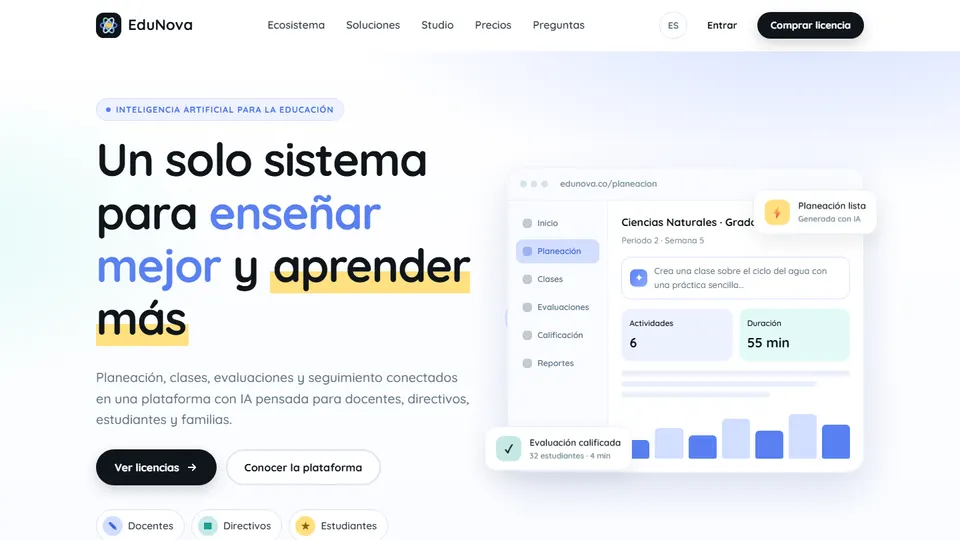
In many schools, lesson plans live in one document, assessments on another platform, grades in the student information system and communication with families in messaging groups. The result is duplicated work and nobody with a complete picture of learning. EduNova is Grupo Logic’s AI-powered learning system that brings that whole cycle together in eight connected modules, from the textbook to the report card, with a space for teachers, school leaders, students and families. Here I’ll explain how it works and suggest concrete ideas for making the most of it in the classroom.
What is EduNova?
EduNova is an AI-powered web platform that integrates a school’s teaching and learning work: each module feeds the next. The textbook guide serves as the basis for the lesson plan; the lesson plan generates the class presentation; assessment feeds into grading; the results point to what needs remedial work; and it all ends in a report card that families can understand.
It runs in the browser on computers, tablets and phones, with nothing to install. If what you’re after is rather a set of standalone AI tools for everyday work, the option from the same company is AulaMágica IA.
What problem does it solve at school?
- Scattered information. Planning, assessments, grades and communication live in different tools, and nobody sees the full picture.
- School leaders who find out too late. They need to know in time which grades, subjects or campuses need support.
- Teachers with no time. Hours of planning and marking eat into the time for supporting students.
- Families who don’t understand the report card. They want to know clearly how their children are progressing and how to help at home.
Main features: eight connected modules
1. Textbooks
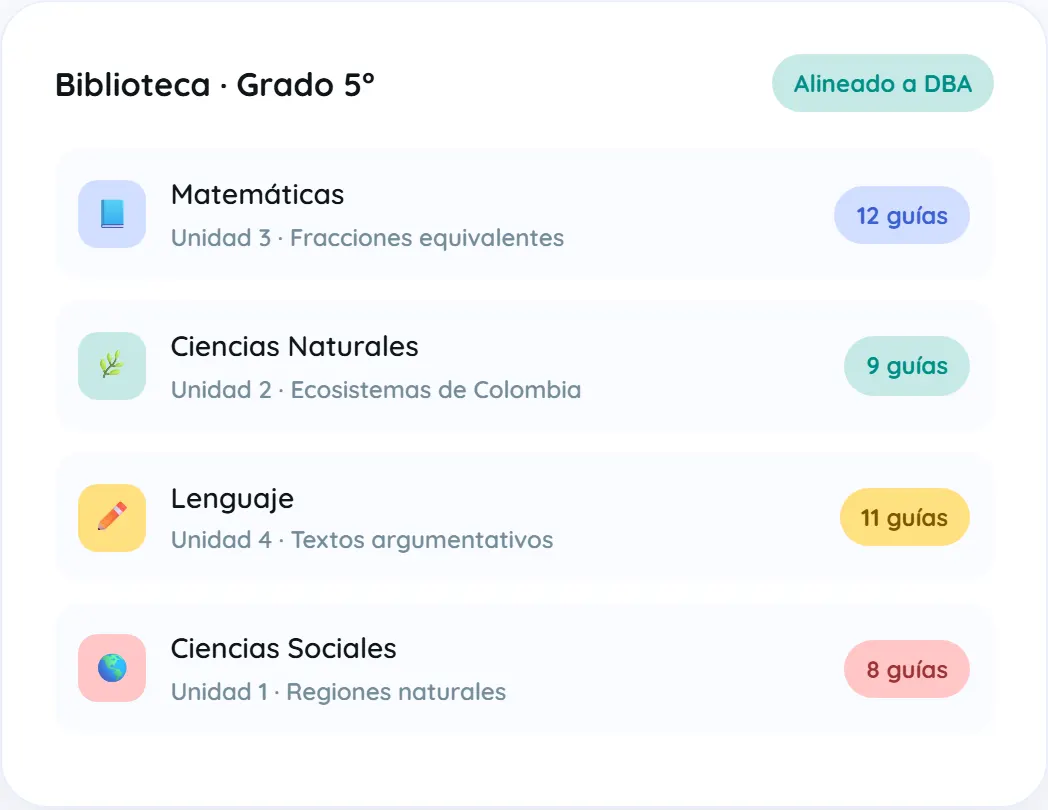
Content by subject, grade and term, aligned with Colombia’s basic competency standards and DBA (“Basic Learning Rights,” the national learning expectations by grade), with teaching sequences, readings, exercises and challenges by level.
2. Planning
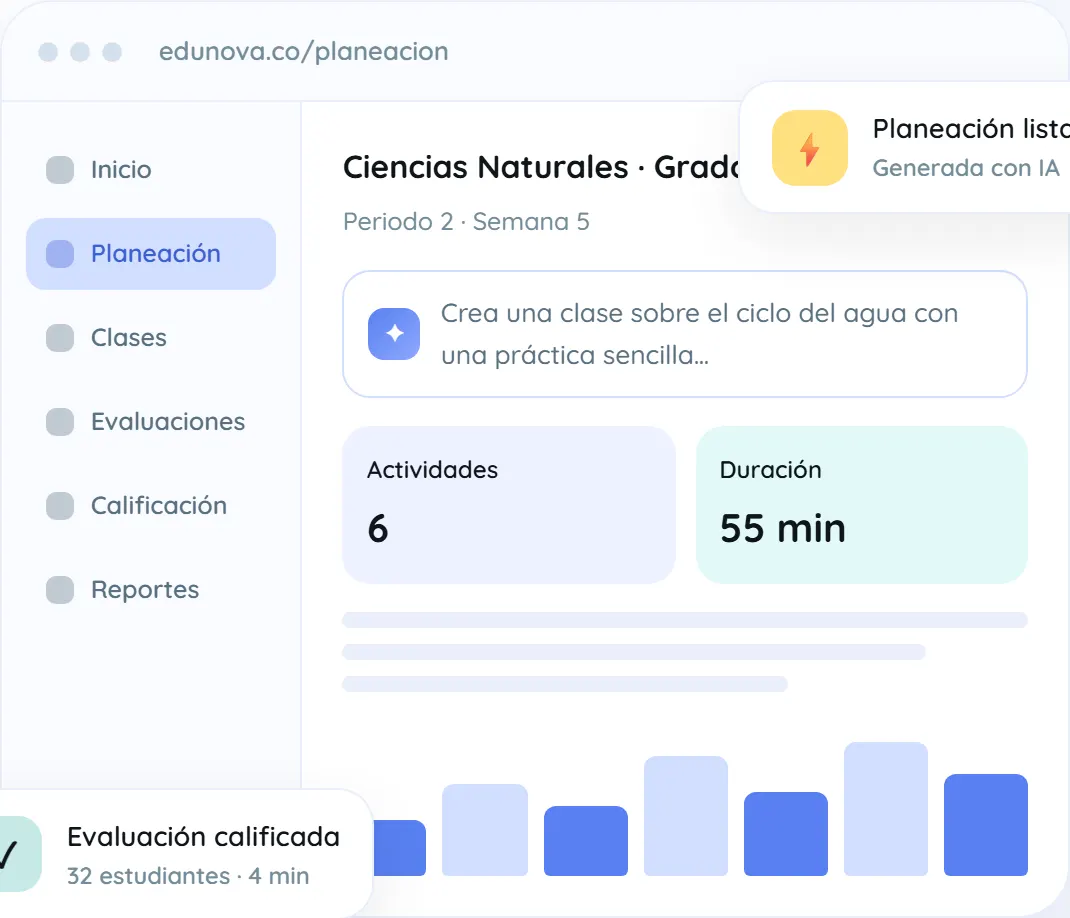
The AI suggests objectives, lesson stages, activities and resources. Everything is editable and can be exported to Word or PDF in your school’s format.
3. Lessons
Presentations generated from the lesson plan, live questions and participation boards. It works with limited connectivity.
4. Accessibility
Easy-read versions, visual supports, narrated audio and suggestions for reasonable adjustments based on the PIAR (Colombia’s individual adjustment plan for students with disabilities).
5. Assessments
Quizzes, worksheets and practice tests structured like the national standardized exam (Saber, administered by ICFES, Colombia’s national testing agency), question banks by competency with different difficulty levels, and rubrics for open-ended questions.
6. Grading
Assisted marking of open-ended and handwritten answers, with personalized feedback that the teacher reviews and approves.
7. Remedial work
Identifies the learning that needs reinforcing and offers catch-up activities tailored to each student, with progress tracking.
8. Communication
Easy-to-understand report cards, scheduled newsletters and weekly summaries for families, with recommendations for supporting learning at home.
Ideas for using EduNova in the classroom
The beauty of EduNova lies in the connections between modules. That’s why several of these ideas span more than one.
1. 7th-grade natural science: from the textbook to a lesson on the water cycle
Start from the textbook guide for your term and ask for a lesson plan on the water cycle with a simple hands-on activity. Adjust the timing to your actual class period, swap the materials for the ones you have in the lab and generate the presentation from that same plan. One single workflow, with no copying and pasting between programs.
2. 5th-grade math: equivalent fractions with live questions
Use the equivalent fractions guide as a starting point and launch live questions during the lesson. The participation board shows you right away whether the class has understood or whether you need to go back to hands-on materials. It’s formative assessment without waiting for Friday’s quiz.
3. 11th grade: practice tests structured like the national exam
Build practice tests from the question bank by competency, mixing difficulty levels. After the test, instead of handing back just a score, look at which competencies the group found hardest and devote the next session to those points.
4. 9th-grade language arts: assisted marking of handwritten answers
Give a reading comprehension worksheet with open-ended questions on paper and use assisted marking with a clear rubric. The platform suggests the feedback; you review it, adjust it and approve it before it reaches the student.
5. End of term: a tailored remedial plan
Instead of the classic one-size-fits-all “make-up worksheet,” use the remedial module to identify the learning each student needs to reinforce and assign personalized catch-up activities. Progress tracking tells you who has already overcome the difficulty.
6. 6th-grade social studies: the same reading, accessible to everyone
If there are students with a PIAR in your class, generate the easy-read version of the reading on natural regions, with visual supports and narrated audio. That way the whole class works on the same content and nobody is left out of the discussion.
7. Homeroom teachers: weekly summaries and newsletters for families
Schedule newsletters for the key dates of the term and rely on the weekly summaries so families know what was covered and how to help at home. A well-informed parent or guardian comes to report card day with questions, not surprises.
8. Academic coordination: early warnings for the department meeting
With the indicators dashboard by grade, subject and campus (included in the Volume License), check mid-term where low-performance alerts are showing up. Bring that data to the department meeting and agree on actions before the problem turns into students failing the subject.
9. Campuses with poor connectivity: lessons that don’t depend on a perfect network
The lessons module works with limited connectivity. If you teach at a rural campus or in a classroom where the signal drops, generate the presentation from your lesson plan ahead of time and walk into class with the lesson ready.
10. Academic council: your own textbooks with EduNova Studio
With EduNova Studio (included in the Volume License), the school can create its own textbooks reflecting its teaching model, its PEI (the school’s institutional educational project), its colors and its logo, in digital format and also ready to print, and update them every year. It’s a great project for each department to write the content for a grade based on its own experience.
How to get started, step by step
- Choose your license. School, for an institution with a single campus, or Volume, for multiple campuses or school networks.
- Activate the platform. The customer portal shows your license code, expiration date and number of seats.
- Register your team. Add teachers and school leaders from the portal, including by bulk upload.
- Start with a pilot grade. Choose one grade and two or three subjects to go through the full cycle for one term: textbook, planning, lesson, assessment and report card.
- Evaluate and expand. At the end of the term, review with the teachers what worked and extend its use to the other grades.
If your school still consolidates grades or tracking in spreadsheets during the transition, my Excel for teachers resources may come in handy.
Good practices and precautions
- The teacher has the final say. Assisted marking and feedback are suggestions: review and approve them before they reach your students.
- Put what the AI generates in context. A well-written lesson plan doesn’t replace your knowledge of the group; adapt examples, timings and materials.
- Protect students’ data. EduNova handles data in accordance with Law 1581 of 2012 (Colombia’s data protection law) and the school owns its information; even so, decide who has access to what and avoid sharing sensitive information outside the platform.
- Mind your language with families. Review report cards and newsletters before sending them: they should be clear, respectful and useful.
- Support adoption. Make the most of the initial training and set aside time for teachers to share what works for them.
To dig deeper into the responsible use of artificial intelligence at school, visit the AI and technology for teachers hub.
Frequently asked questions
Do I need to install anything to use EduNova?
No. EduNova runs in the browser on computers, tablets and phones; all you need is an internet connection.
What is EduNova Studio?
It’s the module for creating your own digital textbooks, reflecting the school’s teaching model, identity and context; it’s included in the Volume License.
Does it include preparation for the national standardized exams?
Yes. The Assessments module lets you create practice tests structured like the national exam, with question banks by competency and different difficulty levels.
How is students’ data handled?
In accordance with Law 1581 of 2012: the school owns its information and can request its export or deletion.
How is it different from AulaMágica IA?
EduNova integrates the full learning cycle in eight connected modules, while AulaMágica IA is a set of AI tools for teachers’ day-to-day work.
Conclusion
EduNova offers something many schools need: to stop working in silos. When planning, lessons, assessment, remedial work and communication with families are connected, teachers get time back and the school gains a real view of learning. Explore the modules and licenses on the official EduNova page. And if you’d like your students to create their own materials too, check out BookStudio.
Prefer to have it ready?
More guides in AI and technology for teachers