
Mail Merge and Save as Separate Documents
Improved version with export to individual PDF files with different names. Saving each record of a mail…
$30

Document merger
A software tool that makes our work easier when merging Excel data into separate documents, either DOCX or PDF, even keeping headers and footers.
In just 3 steps.
The template interface is in Spanish; an English quick-start guide is included.
A software tool that makes our work easier when merging Excel data into separate documents, either DOCX or PDF, even keeping headers and footers.

Merging documents may seem complicated, especially if you are not a programmer or a technical person. However, with the right tools, it is a process anyone can do. Here I will guide you step by step so you can merge data from an Excel file with a Word master document using a simple application.
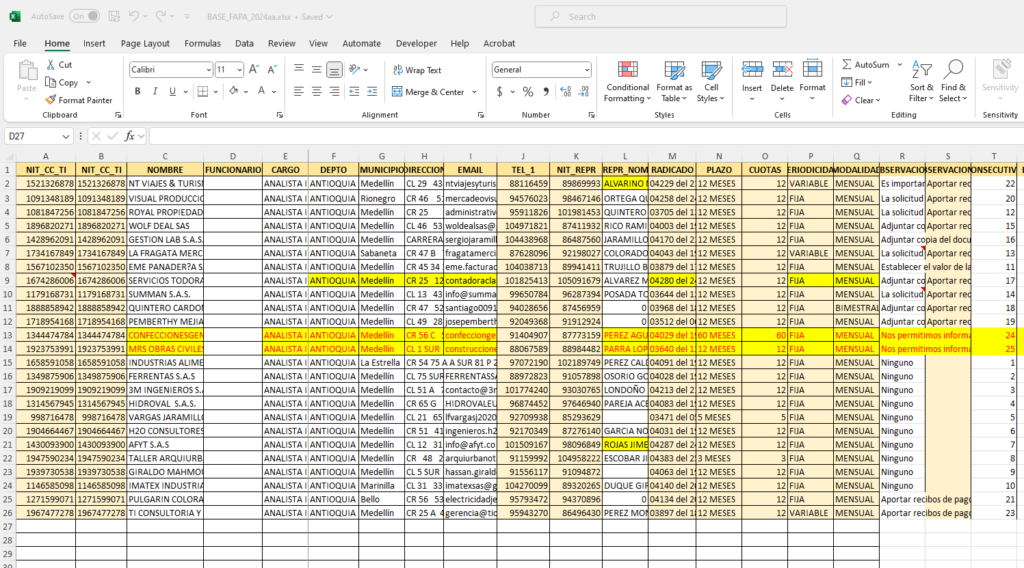
Create an Excel file containing the names of the columns you want to merge, and fill in the table according to your needs.
I suggest not using accented letters or words with the letter ñ in the column header names.
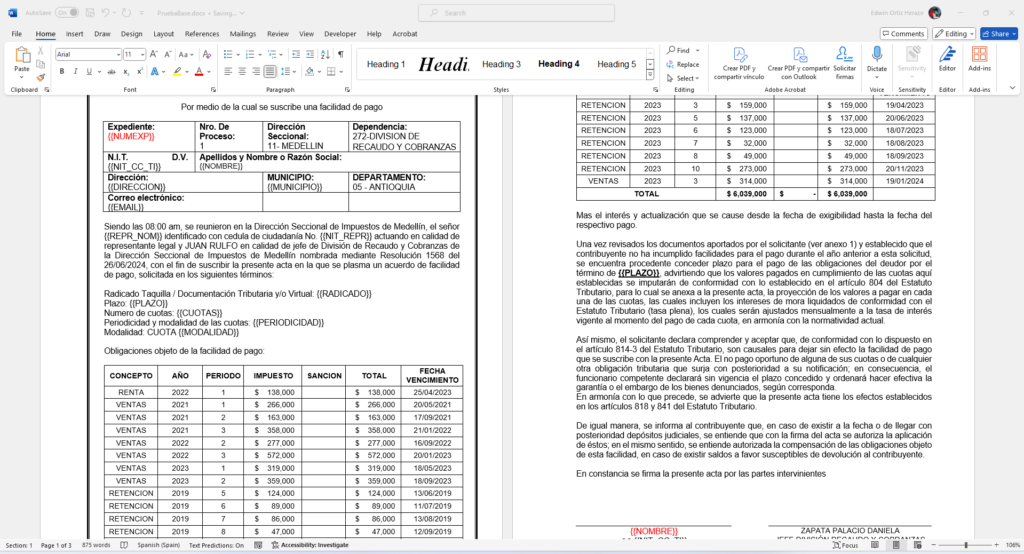
Before going on, it helps to know what a placeholder is: it is simply a tag that tells the program where to insert the data from each column of the Excel file.
Placeholders are written in the master document as follows (the name of the Excel column between double curly braces):
{{COLUMN}}
Following our example, placeholders would be {{NOMBRE}} (name) or {{DIRECCION}} (address). That way the program knows where to place each piece of merged data taken from the Excel list.
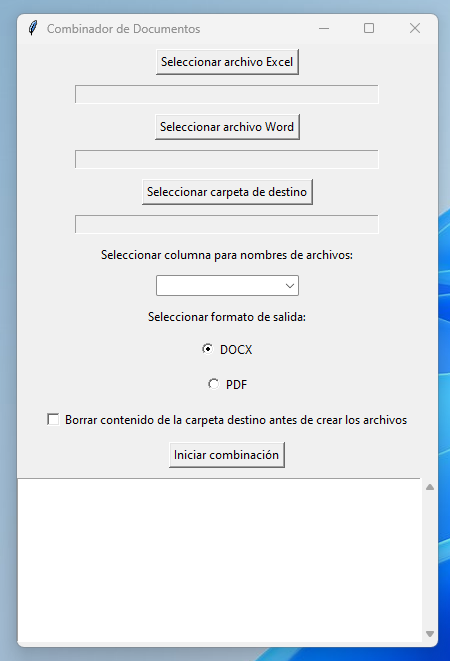
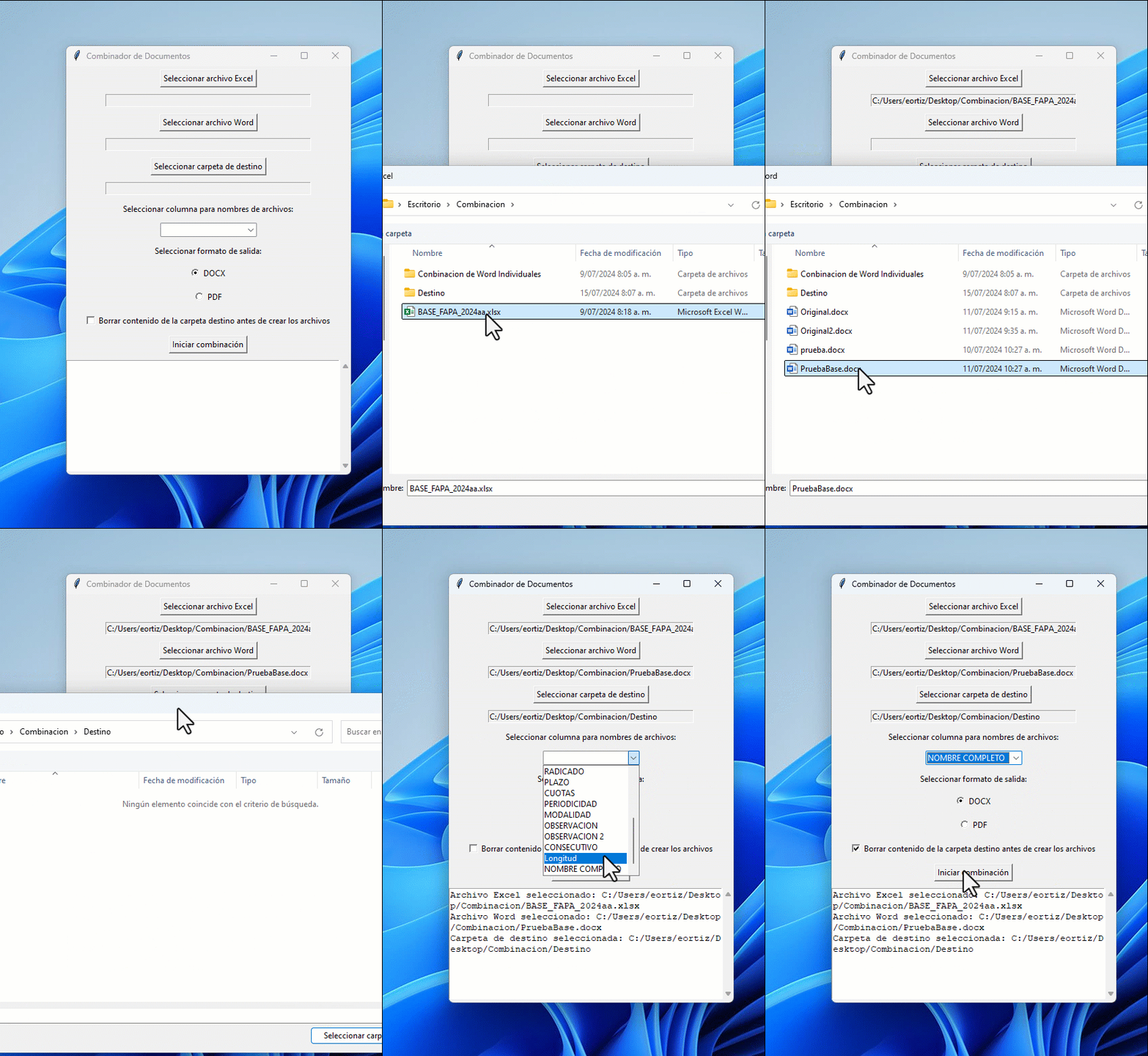
Now we will use a special application called “Document Merger” (Combinador de Documentos). Here is how it works, step by step:
This app solves a shortcoming of Word's mail merge (Combinar correspondencia), which in Word only creates a single document with all the information, while “Document Merger” creates the documents separately and adds extra value, such as merging into separate Word or PDF documents. In addition, the app uses a master document that includes all the Word features you want in the final merged documents.
The app works without any installation; all you need is the Office 365 suite installed (Word and Excel) and an internet connection.
Once your payment is approved, you receive an email with the download link. You can also find it on the order page and in My account.
Write to me with a screenshot of the error and I'll help you set it up. If we can't get it working on your computer, the refund policy applies.
Yes, you can adapt it to your work. What is not allowed is reselling or distributing it.
Improved version with export to individual PDF files with different names. Saving each record of a mail…
$30
Microsoft Word can already run a mail merge (Combinar correspondencia) between a Microsoft Excel list and a…
$20
