Mail Merge and Save as Separate Documents
Improved version with export to individual PDF files with different names. Saving each record of a mail…
$30

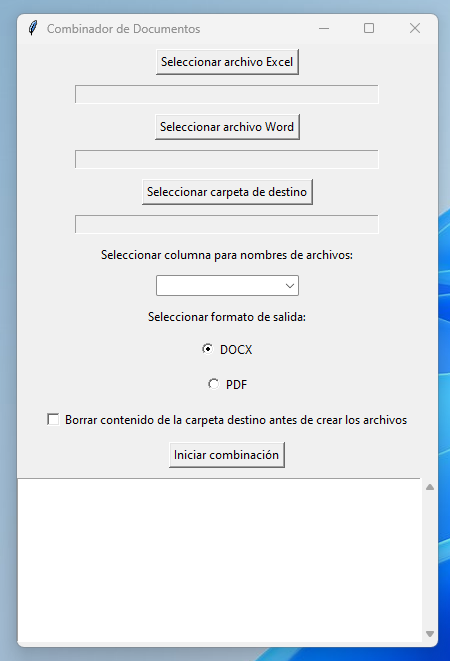
Document merger
Microsoft Word can already run a mail merge (Combinar correspondencia) between a Microsoft Excel list and a Microsoft Word document, but the result is a single document containing every page generated from the Excel workbook data. This macro generates each page as a separate PDF document and saves them in a folder of your choice.
Read the explanatory post (in Spanish): https://www.edwinortiz.net/combinar-correspondencia-y-generar-pdf-individuales/
The code works in Office 2016 and later; use it with earlier versions at your own risk.
The template interface is in Spanish; an English quick-start guide is included.
Mail merge to individual PDF files should have been one of the options in Microsoft Word's mail merge tool, but unfortunately it isn't.
If you like, you can watch this whole post as a video, and then keep reading to get the code you will need for the process.
Read the explanatory post (in Spanish): https://www.edwinortiz.net/combinar-correspondencia-y-generar-pdf-individuales/

The code works in Office 2016 and later; use it with earlier versions at your own risk.
Once your payment is approved, you receive an email with the download link. You can also find it on the order page and in My account.
Write to me with a screenshot of the error and I'll help you set it up. If we can't get it working on your computer, the refund policy applies.
Yes, you can adapt it to your work. What is not allowed is reselling or distributing it.
Improved version with export to individual PDF files with different names. Saving each record of a mail…
$30
A software tool that makes our work easier when merging Excel data into separate documents, either DOCX or…
$70