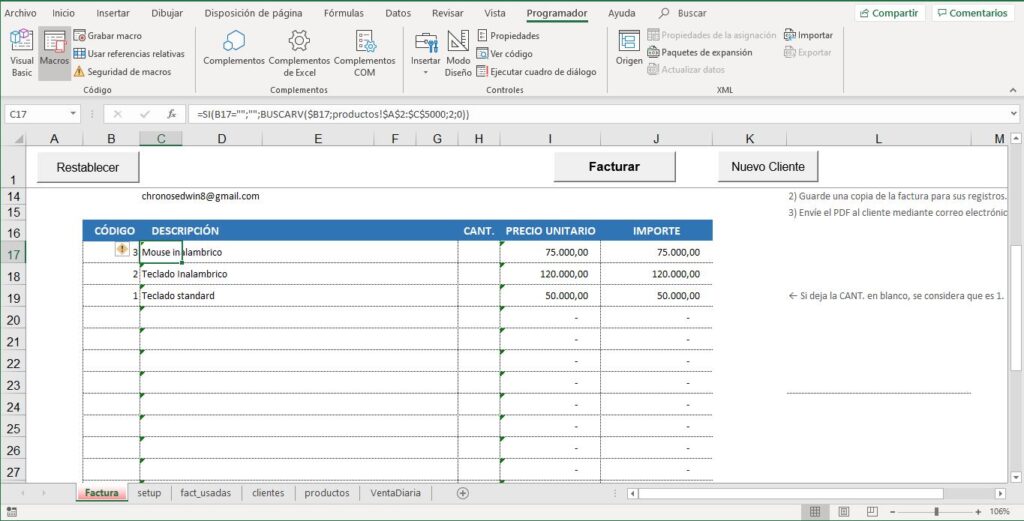
Simple Invoice with Automatic Numbering
Excel template for a simple invoice with automatic numbering
$10
Business documents
Number-to-words converter in Excel
The template interface is in Spanish; an English quick-start guide is included.
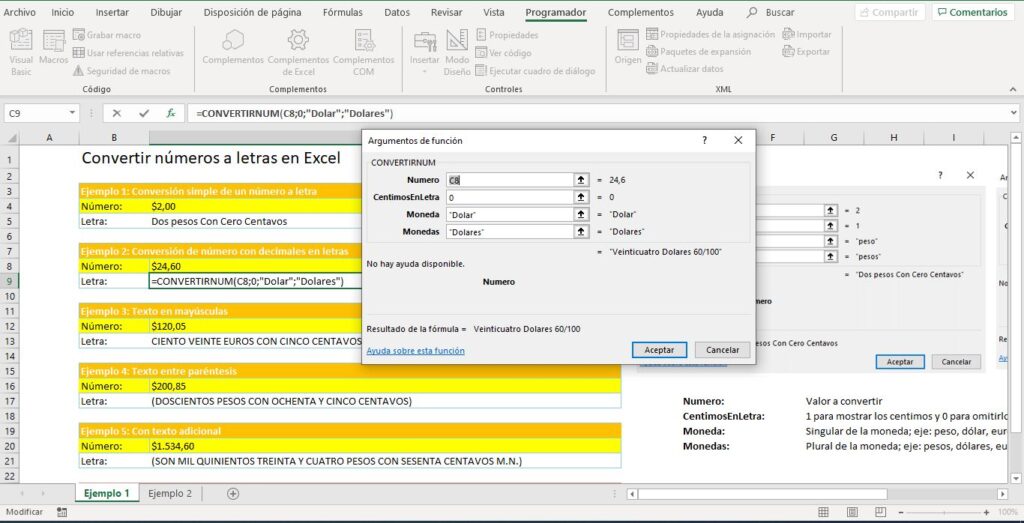
Converting numbers to words (Convertidor de números a letras) is something many people need, yet Excel still has no function that does it easily, so a user-defined function is needed to achieve it.
I named the function I created to convert numbers to words in Excel CONVERTIRNUM, and its syntax is very simple:

It is worth stressing that you can use the number-to-words converter in combination with any other Excel function or formula, so you can convert all the text to uppercase, concatenate text, and so on.
You can also use this function in other projects, such as the Invoice with Email Delivery to the Customer or any other workbook you use often.
Please note that this function can convert numbers to words in Excel from zero up to 1,999,999,999. For any number outside this range, the function returns the message “ERROR: El número excede los límites” (the number exceeds the limits). Keep in mind that the function, its arguments and its messages are in Spanish.
On this site, payment is made in US dollars (USD) through PayPal.
If you have any questions before buying, you can contact me here (whatsapp.edwinortiz.net).
After your purchase, you receive a download link by email that is valid for 30 days and allows up to 5 downloads.
Once your payment is approved, you receive an email with the download link. You can also find it on the order page and in My account.
Write to me with a screenshot of the error and I'll help you set it up. If we can't get it working on your computer, the refund policy applies.
Yes, you can adapt it to your work. What is not allowed is reselling or distributing it.
Excel template for a simple invoice with automatic numbering
$10
Premium invoice with automatic email delivery to the customer
$20